
CEO EXCERPT
"You can plan a perfect agenda for months, but the attendee experience lives or dies in the room. A monitor isn't just watching the door; they are the guardian of your schedule and the first line of defense against the chaos that naturally tries to creep into every conference." - CEO Event Staff
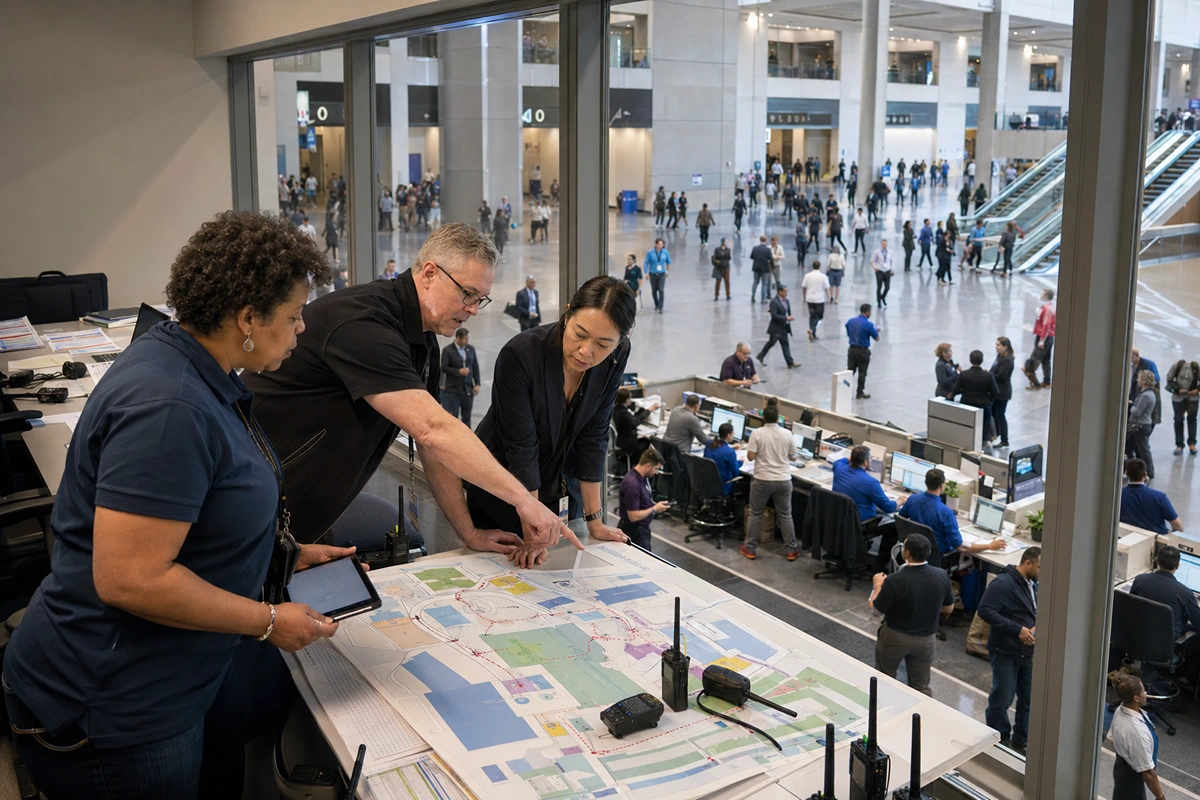
Event room monitors keep multi-room conferences from slipping one session at a time. When speakers run long, doors pop at the wrong moments, and AV issues stack across rooms, someone has to own the clock, the entry rules, and the escalation path per room. That ownership protects your run of show and your attendee experience.
Unlike general staff who may focus broadly on the venue, a dedicated monitor is the operational anchor for a specific room. As detailed in our guide on hidden staffing costs, failing to assign specific ownership to these tasks often leads to schedule drift, the compounding delay of session times where a minor overrun in the morning expands into a significant logistical failure by lunch.
Here is why you need to staff this role specifically, rather than relying on standard ushers.
Executive Summary
Event room monitors stabilize multi-room conferences by enforcing strict timing, managing door protocols, and executing AV resets, ensuring your run of show never drifts and attendee experience remains seamless.
Reason #1: They Keep Sessions on Time When the Room is the Bottleneck
Event room monitors exist because the schedule usually fails inside the room, not in the hallway. One speaker running 7 minutes over doesn’t stay contained; it pushes your next speaker into a rushed setup, squeezes Q&A, and creates hallway clustering as people switch tracks late. You keep the agenda intact when someone owns timing inside each room.
What a trained monitor actually runs (real session control loop):
- Pre-start sync (2 minutes): Confirm start time with chair + AV, check clicker/mic, and verify the first slide is visible.
- Pace checks: Quick internal time checks at the 15-minute mark so overruns don’t surprise you.
- Cue stack: Delivering 10-minute, 5-minute, and 2-minute cues using time cards or agreed hand signals.
- Wrap control: A final cue that lands before the chair loses the room.
- Handoff protection: Coordinating the speaker exit so the next session can load without dead air.
Field pattern that causes drift (and what the monitor stops):
- Busiest rooms attract more late entries and “one more question” behavior.
- Speakers push boundaries because nobody signals them early enough.
- Chairs get pulled into Q&A and forget the clock.
- AV gets stuck reacting instead of resetting for the next speaker.
Outcome: On-time starts across tracks without turning speakers into their own timekeepers.
Reason #2: They Manage Entry, Door Timing, and Noise so Sessions Stay Usable

Event room monitors treat doors like an operational control point. Late arrivals aren’t just “a few people coming in.” They create an acoustic hit, trigger seat shuffling, and distract speakers, especially when re-entry behavior spikes mid-session. You protect session quality by controlling entry timing instead of leaving it to chance. This aligns with the principles found in event flow psychology, where controlling movement is key to maintaining an immersive environment.
Door control that works in real rooms:
- Hold entry during sensitive moments (openings, key slides, panel answers).
- Wave entry in small groups so the room doesn’t churn.
- Door sweep timing at a defined minute so the session can settle.
- Quiet-entry routing so latecomers don’t cross the front row.
- ADA/VIP routing handled consistently, not ad hoc.
Where usher-only coverage breaks:
- Ushers point, but nobody owns “quiet entry” rules.
- VIP/ADA seating gets messy when a room fills and people improvise.
- Hallway noise spills in because doors stay uncontrolled.
- Standing-room drift blocks egress lines and creates safety risks.
Outcome: Fewer disruptions, cleaner recordings, and calmer rooms that feel intentional.
Reason #3: They Protect Session Quality with Resets, Materials, and Clean Escalations
Event room monitors stop the small misses that turn into speaker complaints and attendee frustration. Multi-room events fail through repetition: the same missing item, the same signage error, and the same mic issue across five rooms. You stabilize quality when one person runs the turnover checklist every time. According to global meeting room standards, consistent room readiness is a top factor in speaker satisfaction scores.
6–10 minute turnover checklist (what gets checked fast):
- Lectern ready, water placed, clicker present.
- Signage outside the room matches the next session.
- Handouts or QR codes are stocked and visible.
- Stage/reset: Trash cleared, chairs straightened, aisles open.
- First slide visible, mic pack correct, timer ready.
Escalation logic that prevents delays (especially in union venues):
- Monitor doesn’t move freight or touch restricted rigging.
- Monitor doesn’t “fix” AV in ways that cross venue rules.
- Monitor does trigger AV with clean info: room number, symptom, urgency, whether doors are holding.
Outcome: Faster fixes without scope violations that can stop your room cold.
Fast Estimate: How Many Monitors You Need and How to Book Correctly
Event room monitors scale with simultaneous rooms, not total attendance. Use this baseline for onsite planning:
- 1 monitor per active breakout room.
- 1 floater per 4 rooms for speaker runs, incidents, and quick swaps.
- Note: The floater is your pressure valve when two rooms go hot at once.
Budget and booking mechanics that keep cost predictable:
- Cost varies by market, call time, supervision, and overtime rules.
- Last-minute adds trigger rush premiums and weak roster options.
- Credentials often require named lists and badge pickup windows.
- Hybrid scheduling with confirmations 24–48 hours out reduces replacement chaos.
Outcome: You buy schedule protection and clean transitions, not just bodies.
The Final Lock on Your Run of Show
If your agenda runs multiple tracks with tight turnovers, book trained event room monitors who enforce timing, execute resets, and escalate AV cleanly under venue rules. We scope concurrency, supervisory coverage, and backups so sessions start on time and stay quiet even when hallways spike. Get a Quote today for a staffing plan that protects every room, not just the keynote.
Ready to elevate your next event?
Join thousands of event planners who trust EventStaff.com for reliable, professional staffing solutions.
Trusted by event professionals nationwide
1k+
Events Staffed
2 million+
Guests Served
97%
Positive reviews